The product tour
Everything else it does.
The overview covers what Tenet is for and the one thing worth doing on day one. This is the rest of it, in the order you would meet it.

Rulebook
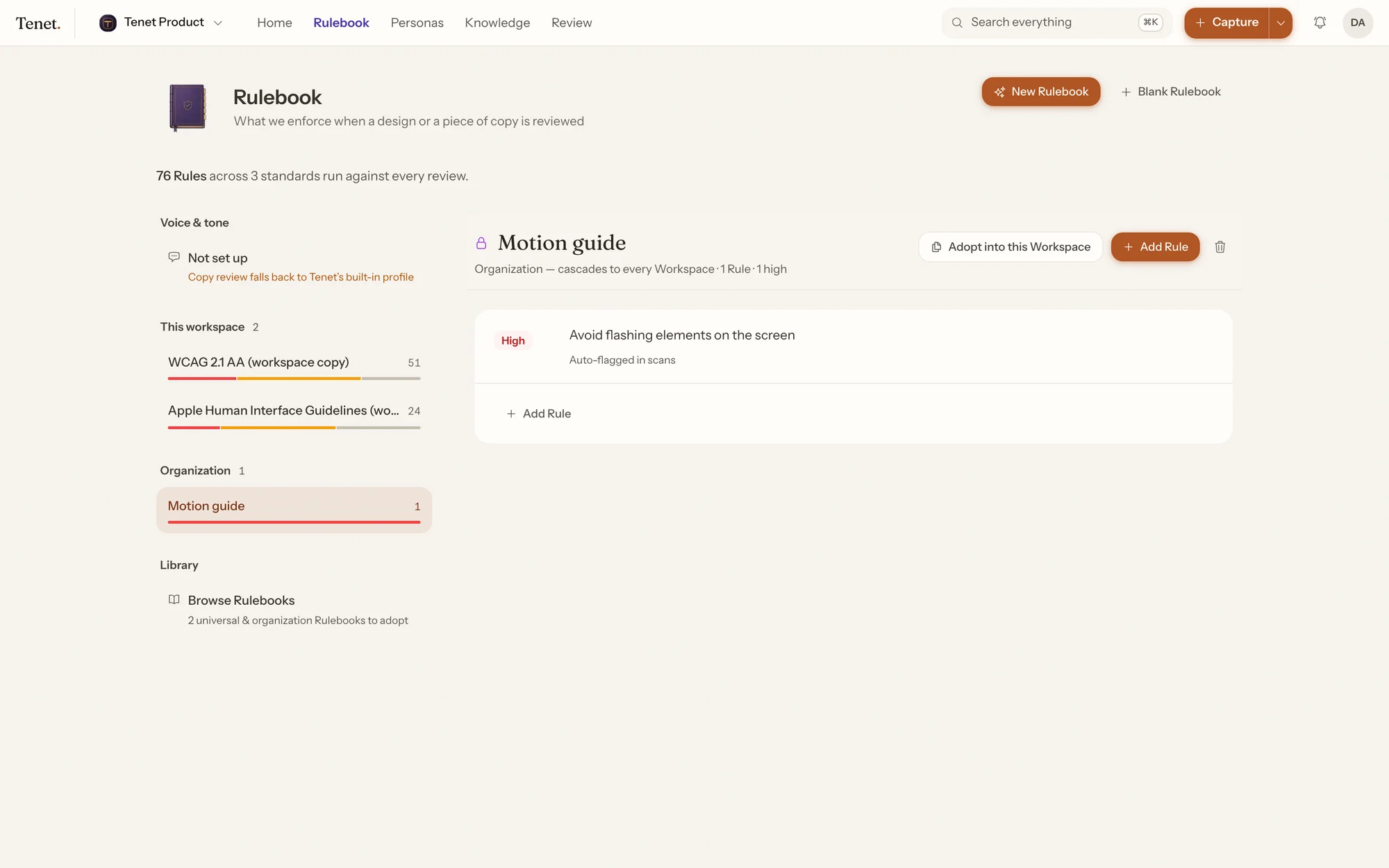
Your design rules, in one place.
Accessibility standards and Apple’s design guidelines are included from the start. Add your own on top — and mark each one as high, medium or low priority.
- Teams choose their own. Rules can apply to everyone, to one company, or to a single project. A team turns on the ones it wants.
- You don’t have to type them out. Point Tenet at your component library and it suggests rules from what it finds.
Journeys
What your customers go through, step by step.
Each column is a step, from first hearing about you to becoming a regular. Click one and it opens up while the others make room.
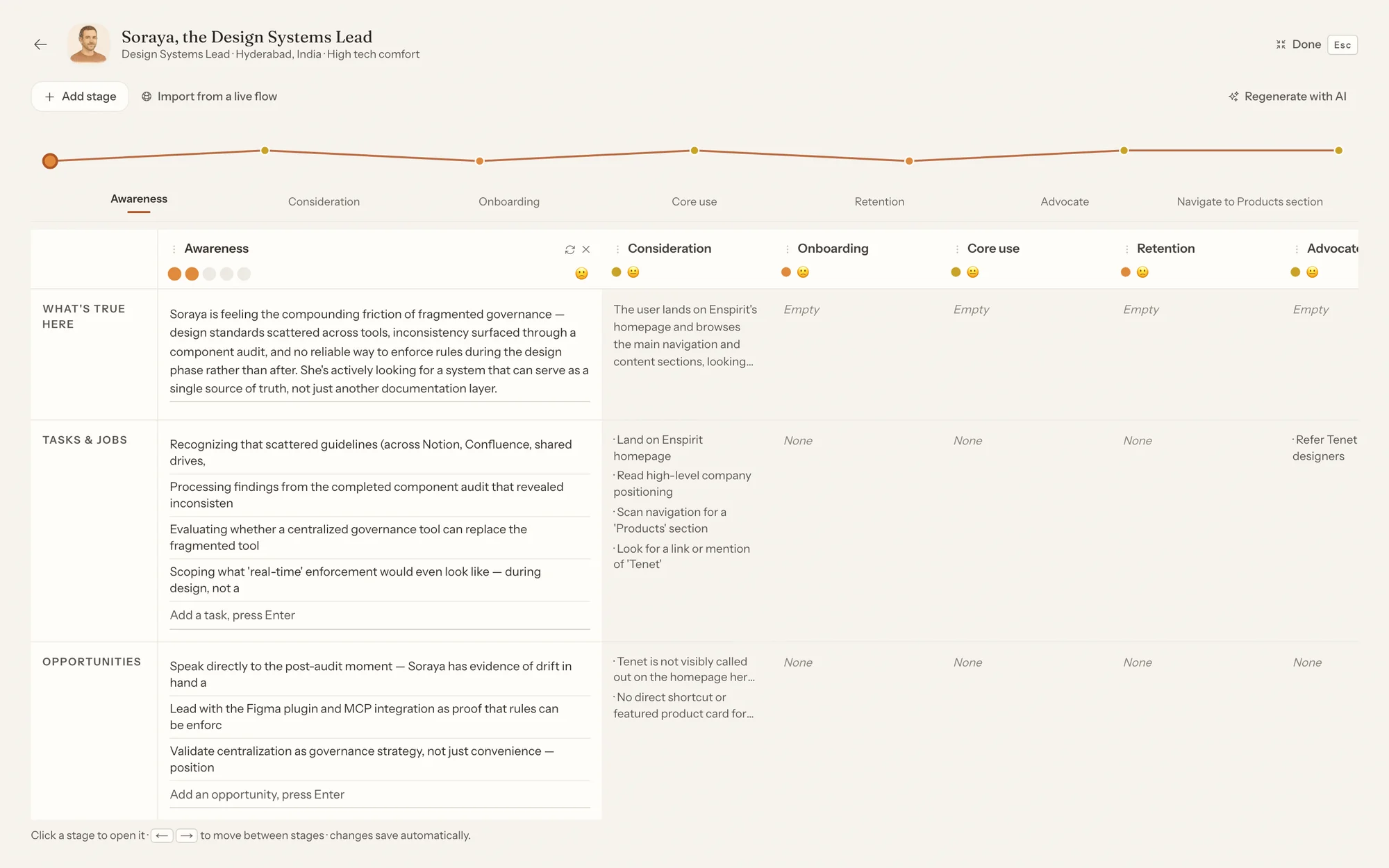
- Start from what you already know. Tenet drafts the steps from the persona and your own research. Nothing is saved until you say so.
- Or map a real product. Say what the customer is trying to do, and Tenet walks through your live product and screenshots each step.
Knowledge
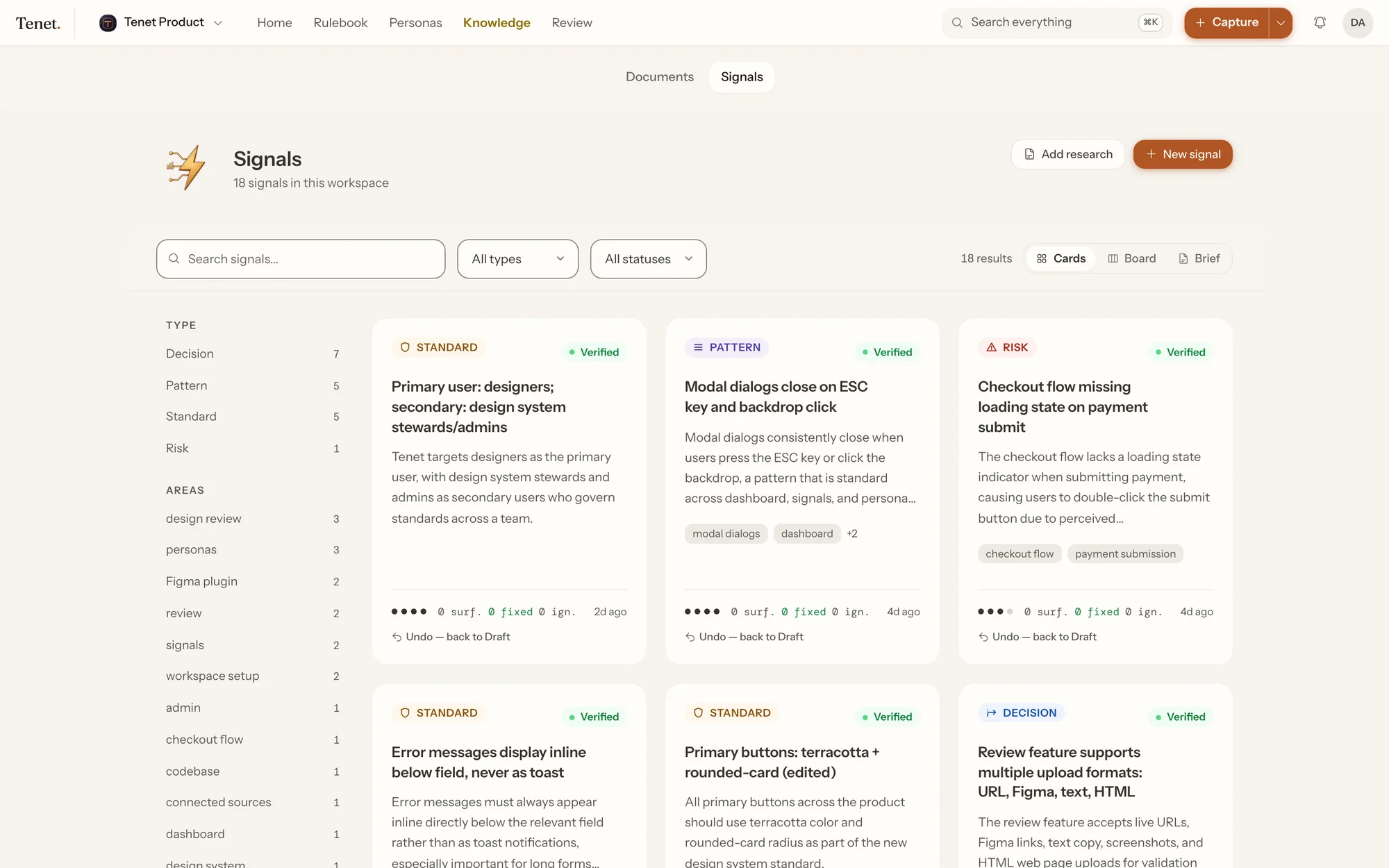
Why you decided what you decided.
Tenet keeps the reasoning too — one short entry per thing your team has learned or agreed. Each says where it came from, and whether it is still a draft or now the rule.
- It comes from where you already talk. Upload a call transcript, pull in a recording, import a page from your wiki — or just describe it and Tenet writes it up.
- Your documents stay documents. Uploading a spec doesn’t silently turn it into rules. You choose what gets promoted.
- It spots things that contradict each other. Two decisions that can’t both be right is the kind of thing nobody notices until it costs a release.
Figma plugin
Check a design before you build it.
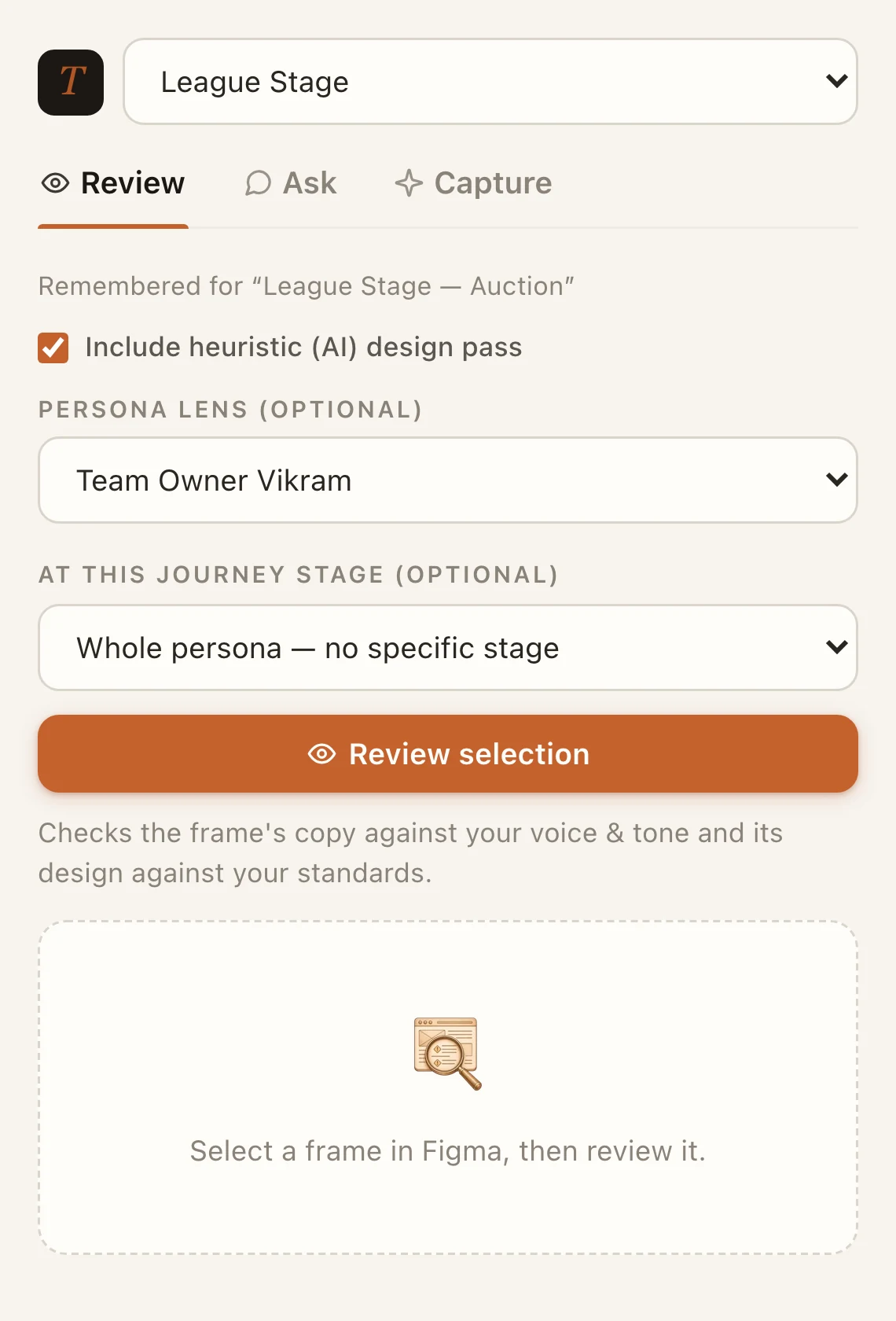
Select a frame in Figma and the plugin checks it against the same rules and the same tone of voice — without leaving the file.
- Check it as a specific customer. Pick a persona and the step they are at. Wording that reads fine in general is often wrong for someone in the middle of a task.
- Click a problem, and Figma selects that layer. No hunting for it.
- Accept a suggested rewrite and it is written straight into the text.
- Ask a question, or save what you learn. Two more tabs do exactly that.
Integrations
It reads from the tools you already use.
Research doesn’t start in Tenet. It starts in a call, a usability session, a wiki page or a session recording. Connect those and the findings come to you.





- Anything else, through the API. If your research lives somewhere we haven’t built for, the same things an AI tool can read and write are available to any script you write.
- Nothing arrives unannounced. Connecting a tool doesn’t start a sync. You pick the recording or the page you want, each time.
- You keep the original. Everything Tenet reads keeps a link back to where it came from, so a finding can always be traced to its source.

For AI tools
Your AI tools can read it too.
If your team uses Claude Code, Cursor or something similar, it can look up your rules, personas and research before it writes anything — then check its own work afterwards.
AI can read everything. It can’t change anything.
When an AI tool wants to update a persona, it asks instead. Nothing changes until a person approves it — and they see exactly which words would change before they do.